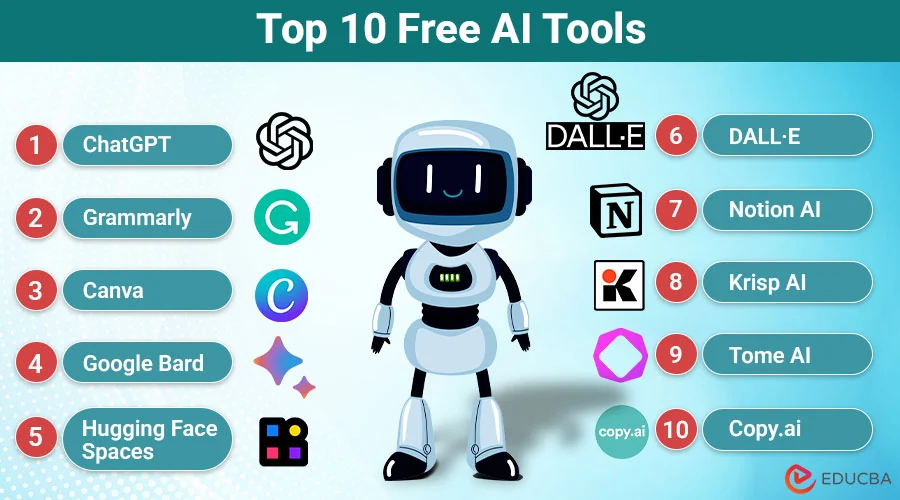
free AI tools for digital marketing
Free AI tools for productivity are transforming how people manage their daily tasks, organize information, complete projects, and maintain a healthy work-life balance. Whether you are a student, freelancer, business owner, or working professional, artificial intelligence can help you save time and accomplish more without spending money on expensive software.
Today, many AI platforms offer free versions that make writing, research, scheduling, graphic design, and information management easier. Some tools can even support meal planning, nutrition research, and personal well-being by helping users organize healthier routines.
However, choosing the right platform can be challenging because hundreds of AI tools are available online. To make your search easier, here are some expert-recommended options worth exploring in 2026.
Why Are Free AI Tools Important for Productivity?
Productivity is not simply about completing more tasks. It is about managing time effectively, reducing unnecessary effort, and maintaining a balanced lifestyle.
Free AI tools help individuals automate repetitive activities, generate ideas, summarize lengthy documents, and organize their schedules. Instead of spending hours on routine work, users can focus on important responsibilities and personal goals.
For example, students can use AI to summarize study materials, professionals can prepare reports, and entrepreneurs can develop marketing content. Similarly, individuals interested in nutrition and well-being can use AI assistants to organize meal plans, research healthy food choices, and develop consistent daily routines.
10 Best Free AI Tools for Productivity in 2026
Here are ten popular AI-powered platforms that offer useful productivity features through free access or free plans.
1. ChatGPT – Best for Everyday Productivity
ChatGPT is one of the most versatile AI assistants for everyday tasks. It can help users write articles, generate ideas, prepare emails, summarize information, and create project plans.
Its conversational interface makes it useful for beginners and experienced professionals alike.
Best features:
- Content writing and brainstorming.
- Research assistance and explanations.
- Task planning and organization.
- Learning support and idea generation.
The free version offers a convenient starting point, although some advanced features have usage restrictions.
2. Google Gemini – Best for Research and Organization
Google Gemini is another useful AI assistant for people who regularly work with information and digital documents. It can answer questions, summarize content, explain complicated topics, and assist with creative tasks.
Its connection with Google’s ecosystem makes it particularly convenient for users who already rely on Google services.
Best features:
- Information summaries.
- Brainstorming and writing assistance.
- Research support.
- Help with organizing everyday activities.
3. Perplexity AI – Best for Online Research
Perplexity AI is designed to make online research more efficient. It provides conversational answers supported by links to relevant sources, helping users explore topics without manually opening numerous websites.
It is particularly useful for students, researchers, bloggers, and professionals who need to find information quickly.
Best features:
- Source-linked research.
- Topic exploration.
- Quick explanations.
- Information discovery.
Users should still verify important information using reliable original sources.
4. Canva – Best for Graphic Design
Canva makes graphic design accessible to people without professional design experience. Its AI-powered features can help users create presentations, social media graphics, posters, and marketing materials.
The free plan includes useful design capabilities, although some premium templates and AI features require payment.
Best features:
- Presentation creation.
- Social media designs.
- AI-assisted content creation.
- Ready-made templates.
5. Grammarly – Best for Writing Improvement
Grammarly helps users improve their written communication. It identifies spelling and grammar mistakes while offering suggestions for clarity, tone, and readability.
Students, professionals, and content creators can use its free features to produce more polished writing.
Best features:
- Grammar and spelling checks.
- Sentence clarity suggestions.
- Writing improvements.
- Communication support.
6. Google NotebookLM – Best for Studying and Document Research
NotebookLM is a valuable AI-powered research assistant that works with information provided by users. It can analyze uploaded documents, summarize important points, and answer questions based on supplied sources.
It is particularly helpful for students and professionals managing large amounts of information.
Best features:
- Document summaries.
- Source-based answers.
- Research organization.
- Study assistance.
7. Microsoft Copilot – Best for Everyday Office Tasks
Microsoft Copilot helps users generate ideas, draft content, understand information, and complete various everyday digital tasks.
It is especially convenient for people who already use Microsoft products and services.
Best features:
- Writing assistance.
- Content summaries.
- Idea generation.
- General productivity support.
Free access and advanced capabilities depend on the specific Microsoft service and account.
8. Otter.ai – Best for Meeting Notes
Otter.ai helps users capture and organize spoken information through transcription and meeting summaries. It can reduce the time spent manually writing notes during discussions and interviews.
Its free plan is useful for occasional transcription, although recording and transcription limits apply.
Best features:
- Audio transcription.
- Meeting summaries.
- Searchable notes.
- Important discussion highlights.
9. GitHub Copilot – Best for Coding Productivity
GitHub Copilot is an AI-powered coding assistant that helps developers write, understand, and improve code. It can suggest code completions and assist with programming questions.
Its free plan makes it accessible to developers who want to explore AI-assisted programming.
Best features:
- Code suggestions.
- Programming assistance.
- Error explanations.
- Development workflow support.
10. Claude – Best for Writing and Detailed Analysis
Claude is an AI assistant known for its natural writing style and ability to work with lengthy information. It can help users draft documents, analyze content, brainstorm ideas, and explain complicated subjects.
Its free access is useful for people who need an additional writing and reasoning assistant.
Best features:
- Long-document assistance.
- Content drafting.
- Detailed explanations.
- Brainstorming and analysis.
How AI Tools Can Support Nutrition and Well-Being
Productivity also depends on maintaining physical and mental well-being. A busy schedule can make it difficult to plan meals, maintain healthy habits, and find time for personal care.
AI assistants can help users create weekly meal-planning schedules, organize grocery lists, explore nutritional information, and establish reminders for regular breaks.
For example, ChatGPT or Gemini can help generate meal ideas based on dietary preferences and available ingredients. However, AI-generated nutrition information should be checked against reliable health sources, and people with medical dietary requirements should consult qualified healthcare professionals.
Combining smart technology with healthy routines can help individuals maintain a more sustainable approach to productivity.
How to Choose the Right Free AI Productivity Tool
Before choosing an AI platform, consider your personal requirements and daily activities.
- Identify your needs: Choose a writing assistant, research tool, design platform, or coding assistant based on your work.
- Compare free features: Check whether the free version provides the features you actually need.
- Review privacy settings: Avoid uploading confidential personal, business, or financial information without understanding the platform’s data policies.
- Consider ease of use: Select tools with simple interfaces and accessible features.
- Check usage limitations: Free plans often include restrictions on messages, credits, uploads, or advanced features.
You do not need ten different applications to become productive. Starting with two or three tools that complement your workflow is often more effective.
Final Thoughts
The best free AI tools for productivity can help you simplify everyday responsibilities, improve your workflow, and make better use of your time. From ChatGPT and Gemini to Canva, Perplexity, and NotebookLM, there are several excellent options for writing, research, design, and organization.
Remember that productivity is about more than technology. Maintaining healthy routines, planning nutritious meals, and allowing time for rest are equally important.
Start with the tools that address your biggest challenges, explore their free features, and build a workflow that supports both professional success and personal well-being.
About the Author