free AI tools for digital marketing
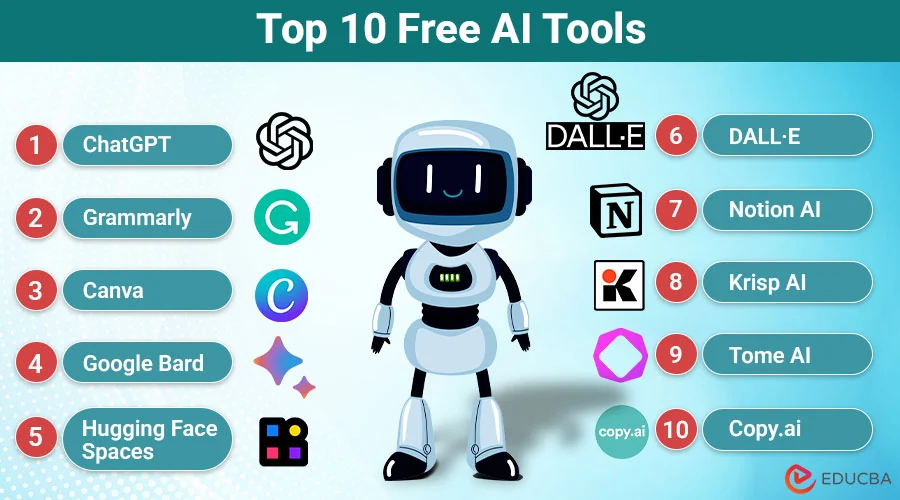
Artificial intelligence is changing how people work, study, create content, and manage everyday tasks. The best free AI tools for beginners make it easier to save time, improve productivity, and learn new skills without spending money on expensive software. Whether you are a student, blogger, freelancer, small business owner, or complete beginner, you can find an AI tool that suits your needs.
Many AI platforms offer free plans that let users explore their features before upgrading. From writing articles and creating images to researching information and designing graphics, these tools can help you accomplish more with less effort. In this guide, we will explore seven beginner-friendly AI tools, their main features, and how to choose the right one.
Best Free AI Tools for Beginners in 2026
Choosing the right AI tool depends on your goals. Some tools are excellent for writing and research, while others specialize in graphic design, grammar checking, and general productivity. Here are seven popular options worth exploring.
1. ChatGPT: Best AI Tool for Everyday Tasks
ChatGPT is one of the most versatile AI assistants for beginners. It can help you generate ideas, write articles, summarize information, answer questions, and explain complicated topics in simple language.
Key features:
- Generate blog posts and website content.
- Create outlines, headlines, and meta descriptions.
- Explain unfamiliar subjects.
- Help with coding and problem-solving.
- Brainstorm business and marketing ideas.
For example, bloggers can ask ChatGPT to create an article outline, suggest relevant headings, or develop ideas for future posts. Students can use it to understand difficult concepts, while freelancers can use it to draft emails and organize projects.
ChatGPT offers a free plan, although certain features have usage limits.
Best for: Students, bloggers, freelancers, and beginners who want an all-purpose AI assistant.
Website: https://chatgpt.com/
2. Google Gemini: Best for Research and Productivity
Google Gemini is an AI assistant that helps users answer questions, brainstorm ideas, summarize information, and work with different types of content.
Its integration with Google’s ecosystem can make it particularly useful for people who regularly use Google services.
Key features:
- Answer questions and explain concepts.
- Generate ideas for articles and projects.
- Assist with writing and editing.
- Help summarize information.
- Support selected image and file-related tasks.
For instance, a beginner working on a blog can use Gemini to brainstorm article topics, develop an outline, and identify questions readers might ask about a subject.
Always verify important facts and check current information against reliable sources.
Best for: Students, researchers, content creators, and people who use Google services.
Website: https://gemini.google.com/
3. Canva: Best Free AI Tool for Graphic Design
Canva is a popular graphic design platform that makes it easier to create attractive visuals without professional design experience. Its AI-powered features can help users develop designs and produce visual content more efficiently.
Key features:
- Create social media graphics.
- Design blog featured images.
- Build presentations.
- Customize templates.
- Use available AI tools for creative projects.
Suppose you publish an article about computer performance. You can use Canva to design a featured image, add your article title, and create matching graphics for social media.
Canva has a free plan, but some premium templates, assets, and AI features may require payment.
Best for: Bloggers, social media managers, students, and small business owners.
Website: https://www.canva.com/
4. Grammarly: Best AI Tool for Writing Improvement
Grammarly helps users improve their writing by identifying grammar mistakes, spelling errors, and clarity issues. It is particularly helpful for beginners who want to produce professional English content.
Key features:
- Check spelling and grammar.
- Improve sentence clarity.
- Receive writing suggestions.
- Adjust tone where supported.
- Make emails and articles easier to read.
For example, if you write a blog post in English, Grammarly can help identify mistakes and suggest improvements before publication.
However, remember that automated suggestions are not always appropriate. Review changes carefully to preserve your original meaning and writing style.
Best for: Bloggers, students, freelancers, and professionals who write regularly.
Website: https://www.grammarly.com/
5. Perplexity: Best Free AI Tool for Research
Perplexity is an AI-powered research tool that helps users find information online and explore answers supported by linked sources.
Unlike a conventional chatbot response, its source-oriented approach makes it easier to investigate where information comes from.
Key features:
- Research topics online.
- Explore answers with source links.
- Discover information for blog posts.
- Compare ideas and explanations.
- Find additional reading material.
For example, a blogger researching AI technology can use Perplexity to discover relevant articles and official documentation. They can then visit those sources to verify details and develop an original article.
Keep in mind that citations should always be checked. A linked source does not automatically guarantee that every claim is correct.
Best for: Bloggers, students, researchers, and anyone who needs help investigating a topic.
Website: https://www.perplexity.ai/
6. Microsoft Copilot: Best for Everyday Productivity
Microsoft Copilot is an AI assistant that can help with everyday questions, brainstorming, writing, and summarizing information.
It can be useful for people who already work with Microsoft products and want to explore AI-assisted productivity.
Key features:
- Generate ideas and draft text.
- Summarize information.
- Explain complicated topics.
- Assist with everyday research.
- Support selected creative tasks.
For example, a freelancer can use Copilot to brainstorm marketing ideas, draft a project proposal, or summarize information before preparing a report.
Some Microsoft 365 features require eligible subscriptions, so check which capabilities are available through free access.
Best for: Beginners, office workers, students, and Microsoft users.
Website: https://copilot.microsoft.com/
7. Claude: Best AI Tool for Long-Form Writing
Claude is an AI assistant that can help users write, edit, summarize, and analyze information. It is particularly worth considering if your work involves drafting detailed documents or improving the structure of written content.
Key features:
- Draft articles and reports.
- Rewrite sentences for clarity.
- Summarize lengthy documents.
- Brainstorm content ideas.
- Assist with selected coding and analytical tasks.
For example, a website owner can use Claude to organize a detailed article, improve transitions between sections, or identify areas that need clearer explanations.
Claude offers free access with usage limits that can vary. Review its current plan details before relying on it for large projects.
Best for: Bloggers, writers, students, and professionals who work with longer documents.
Website: https://claude.ai/
How to Choose the Right Free AI Tool
With so many options available, choosing your first AI tool can feel confusing. The simplest approach is to start with your primary goal.
Consider these recommendations:
- For writing articles: Start with ChatGPT or Claude.
- For online research: Try Perplexity.
- For graphic design: Explore Canva.
- For grammar correction: Use Grammarly.
- For general productivity: Try Microsoft Copilot.
- For Google-related tasks: Explore Gemini.
You do not need to use every tool. Begin with one or two options, learn their features, and add other tools when you identify a specific need.
Remember that free plans can have limitations, and available features may change over time.
Benefits of Using Free AI Tools
AI tools can offer several advantages to beginners.
1. Save time: AI can help draft content, summarize information, and generate ideas more quickly.
2. Improve productivity: Automating parts of your workflow allows you to focus on important tasks.
3. Learn new skills: AI assistants can explain unfamiliar topics and provide examples to help you understand them.
4. Reduce initial costs: Free plans let you experiment with AI without immediately purchasing a subscription.
5. Support creativity: AI can help you brainstorm article topics, design concepts, and marketing ideas.
However, AI-generated content can contain mistakes or outdated information. Always review important details, protect confidential information, and use your own judgment before publishing or acting on AI-generated results.
Conclusion
The best free AI tools for beginners make writing, research, design, and everyday productivity more accessible. ChatGPT is a strong starting point for general tasks, Gemini supports research and productivity, Canva helps create visual content, and Grammarly improves writing quality. Perplexity is useful for source-based research, while Copilot and Claude offer additional options for different workflows.
The best choice ultimately depends on your needs and working style. Start with a free tool, practice writing clear prompts, and evaluate the results before adding more tools to your workflow.
With consistent practice and careful fact-checking, you can use AI to learn faster, work more efficiently, and develop valuable digital skills without a large initial investment.
About the Author