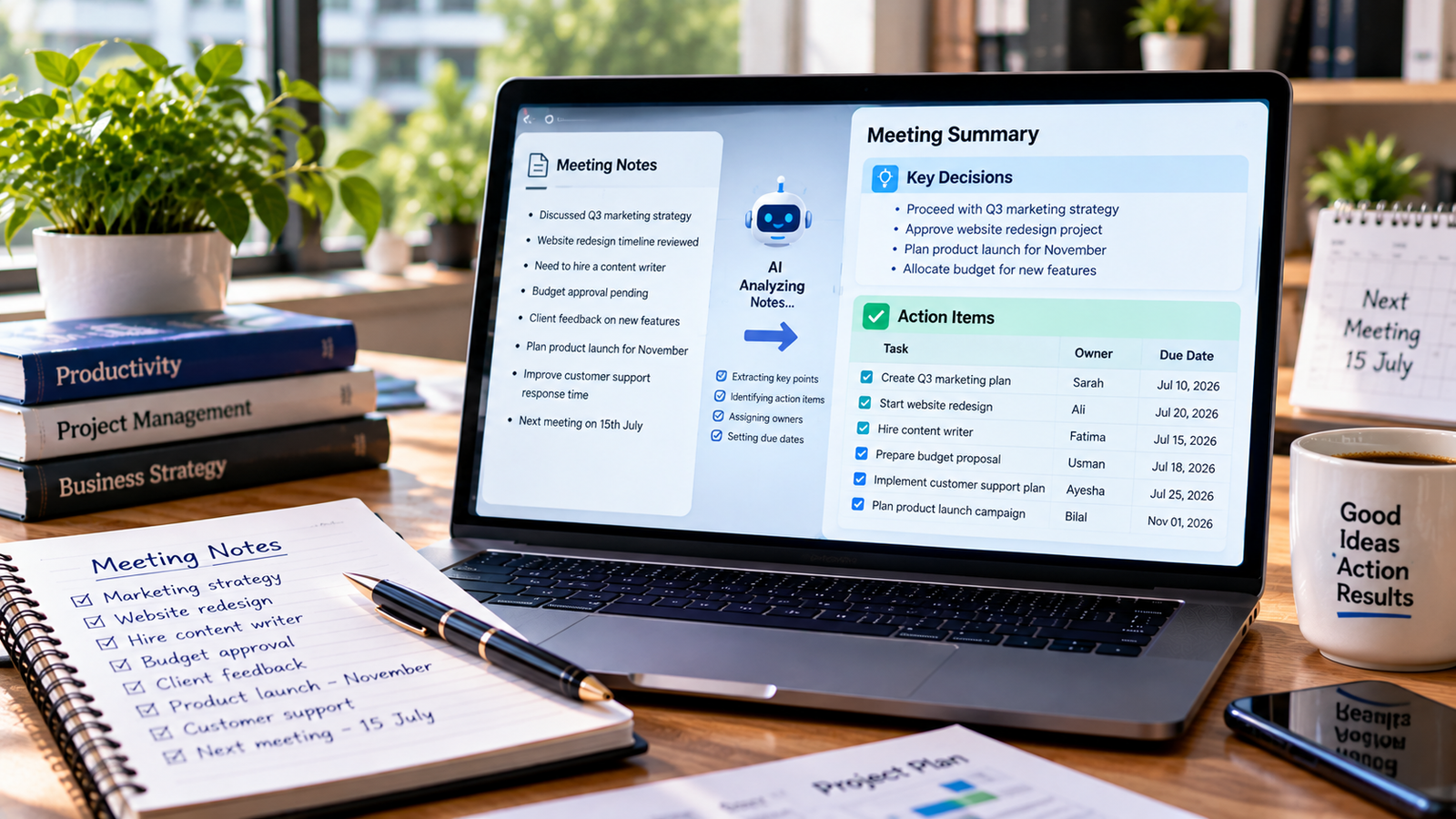
Meetings often produce useful ideas, important decisions, and tasks that need follow-up. The problem is that notes can be messy, discussions can cover several topics, and people may leave without a clear understanding of what happens next.
AI tools can help organize meeting notes into a readable summary, highlight important decisions, and create a list of action items. This can save time for project teams, business owners, students, and anyone who regularly attends meetings.
In this guide, you will learn how to summarize meeting notes with AI, which prompts to use, and how to turn a rough set of notes into a practical follow-up plan.
What Can AI Do with Meeting Notes?
An AI assistant can help transform rough notes or a transcript into a structured meeting record.
Depending on the tool and the information provided, it can help you:
- Summarize the main topics discussed.
- Identify decisions made during the meeting.
- Extract tasks and next steps.
- Organize responsibilities by person or team.
- Record deadlines that were actually agreed upon.
- Draft a follow-up email.
- Prepare a list of unresolved questions for the next meeting.
AI should organize the information you provide, not invent missing details. If the notes do not specify an owner or deadline, the summary should mark it as unassigned or unconfirmed.
Method 1: Summarize Meeting Notes with ChatGPT
ChatGPT can turn written meeting notes into a structured recap. You can paste your notes directly into a conversation or upload a supported file.
Step 1: Collect Your Meeting Notes
Start with the information you already have. This might include handwritten notes that you have typed up, a meeting agenda, a transcript, or notes from a colleague.
Your notes do not need to be perfectly written. For example:
- Discussed next month’s marketing campaign.
- Website redesign delayed because content is incomplete.
- Sarah to prepare campaign plan.
- Budget still needs approval.
- Follow-up meeting next Tuesday.
Remove confidential information that is not needed before sharing the notes with an AI tool.
Step 2: Open ChatGPT
Open ChatGPT in your browser or app and start a new conversation. Paste your notes into the message box. If your notes are stored in a supported document, you can use the attachment option to upload the file.
Step 3: Ask for a Structured Summary
Use this prompt:
Summarize the following meeting notes. Organize the result into four sections: meeting overview, key discussion points, decisions made, and action items. Keep the language clear and concise. Include owners and deadlines only when they are stated in the notes. Mark missing information as unassigned or not specified.
This prompt gives the AI a clear structure and helps reduce unsupported assumptions.
Step 4: Review the Summary
Read through the generated summary and compare it with the original notes. Check whether the AI has accurately captured decisions, names, dates, and responsibilities.
If something is unclear, ask a follow-up question such as:
Review the action items again. Identify any task that does not have a confirmed owner or deadline. Do not guess missing details.
Step 5: Save and Share the Results
Once you have checked the summary, copy it into your preferred document, project management tool, or team workspace.
If you plan to send it to colleagues, make sure the decisions and tasks are accurate before sharing.
For additional ideas on writing effective instructions, see the official ChatGPT prompting guide.
Best AI Prompts for Meeting Notes
Different meetings require different types of summaries. These prompts can help you produce the format you need.
1. Create a Short Meeting Summary
Summarize these meeting notes in 150 to 200 words. Include the purpose of the meeting, the main discussion points, the decisions made, and the most important next steps. Do not add information that is not present in the notes.
Use this when you need a quick overview for a team or manager.
2. Extract Action Items
Turn these meeting notes into an action-item table with four columns: task, responsible person, deadline, and status. Use only the owners and deadlines mentioned in the notes. If information is missing, write “Not specified.”
This is useful for project planning and follow-up.
3. Identify Key Decisions
Review these meeting notes and list every decision that was clearly agreed upon. Separate confirmed decisions from suggestions, open questions, and ideas that still need approval.
This helps prevent a proposal from being mistaken for a final decision.
4. Write a Follow-Up Email
Draft a professional follow-up email based on these meeting notes. Thank the participants, summarize the main decisions, list the next steps, and mention confirmed deadlines. Keep the email concise and do not invent commitments.
Always review the email before sending it, especially when it includes commitments or deadlines.
5. Prepare for the Next Meeting
Based on these notes, create an agenda for the next meeting. Include unfinished tasks, unresolved questions, decisions that still need approval, and updates the team should prepare. Do not treat an open issue as a confirmed decision.
This prompt turns the previous meeting into a useful starting point for the next one.
6. Summarize a Long Meeting Transcript
Summarize this transcript by topic. For each topic, list the main points, decisions, action items, and unresolved questions. Remove repetition while preserving important disagreements and qualifications.
For long transcripts, you may need to process the material in sections depending on the AI tool’s limits.
Method 2: Use AI to Turn Notes into an Action Plan
A summary explains what happened. An action plan makes the next steps clear.
Suppose your team has discussed a website redesign. The notes say that the homepage needs new content, the design team will prepare a revised layout, and the launch date has not been confirmed.
You can ask AI to organize the information into a table like this:
| Task | Owner | Deadline | Status |
|---|---|---|---|
| Prepare homepage content | Not specified | Not specified | Pending |
| Prepare revised layout | Design team, if confirmed in notes | Not specified | Pending |
| Confirm launch date | Not specified | Not specified | Needs decision |
This example shows why missing information should remain visible instead of being filled in with guesses.
Once the table is accurate, you can move the tasks into a project tracker or task management application.
Method 3: Summarize Meetings Automatically
Some AI tools can assist with meeting notes without requiring you to paste everything manually. Their availability depends on your device, account, plan, and the meeting platform.
For example, OpenAI documents a ChatGPT Record feature for capturing and summarizing meetings and voice notes. Its availability is limited to supported plans and the macOS desktop app according to the current help documentation. Check the official ChatGPT Record guide for the latest eligibility and setup information.
Before using an automated recording feature:
- Check whether your account and device are supported.
- Review your workplace’s meeting and recording policies.
- Inform participants and obtain their consent where required.
- Confirm that the transcription accurately reflects the discussion.
- Review the summary and action items before sharing them.
Automatic transcription can mishear names, technical terms, numbers, and short comments. It should not be treated as a perfect record.
How to Get More Accurate AI Meeting Summaries
The usefulness of an AI summary depends on the quality of the source material and the instructions you provide.
Provide context
Tell the AI what kind of meeting took place. A sales meeting, project review, training session, and client consultation may require different summary formats.
Separate decisions from discussions
People may suggest ideas without approving them. Ask the AI to distinguish confirmed decisions from proposals and unresolved questions.
Preserve important details
Do not ask the AI to remove every detail in the name of brevity. Names, dates, figures, risks, and disagreements may be essential to the record.
Check responsibilities and deadlines
An action item should have a confirmed owner and deadline whenever possible. If these were not agreed upon, mark them as missing rather than inventing them.
Protect private information
Meeting notes may include client details, employee information, financial data, or confidential plans. Review the AI service’s privacy terms and your organization’s rules before uploading this material.
Keep the original notes
Save the source notes or transcript alongside the summary. This makes it easier to resolve disagreements and check the accuracy of the final record.
Common Mistakes to Avoid
Relying on an unverified summary
A polished summary can still contain mistakes. Check important details against the original notes or transcript.
Losing important context
An overly short summary may leave out risks, objections, or reasons behind a decision. Ask for enough detail to preserve the context your team needs.
Treating suggestions as commitments
If someone says a task might be completed next week, that does not necessarily mean a deadline was agreed upon. Preserve the distinction.
Assigning tasks to the wrong person
AI may misunderstand who volunteered for a task or who was responsible for a decision. Confirm ownership before sharing the action list.
Sharing sensitive notes without permission
Not every meeting record should be uploaded to an external tool. Follow applicable privacy, confidentiality, and recording requirements.
Frequently Asked Questions
Can ChatGPT summarize meeting notes?
Yes. You can paste written notes into ChatGPT or upload a supported file, then request a summary, key decisions, action items, or a follow-up email. Always review the result for accuracy.
Can AI create action items from meeting notes?
Yes. AI can identify potential tasks and organize them into a table. However, owners and deadlines should be included only when the notes or transcript support them.
Can AI summarize a meeting recording?
Some tools support audio transcription and summarization. Availability and limits vary. Check the tool’s current features and make sure recording and processing comply with applicable consent and privacy requirements.
What is the best format for AI meeting notes?
A practical format includes the meeting purpose, key discussion points, confirmed decisions, action items, owners, deadlines, and unresolved questions. The exact structure can be adjusted to fit your team’s workflow.
Should I share AI-generated meeting summaries with my team?
You can share a summary after checking its accuracy and removing information that should not be distributed. Make sure participants can distinguish confirmed decisions from suggestions and unresolved items.
Final Thoughts
AI can make meeting follow-up easier by turning rough notes into a clear summary and a practical action list. ChatGPT is a useful starting point if you want to work from written notes, ask follow-up questions, or draft a recap email.
The best workflow is simple: provide the notes, request a structured summary, verify the decisions and action items, and share the checked version with the right people. AI can help organize the discussion, but the meeting participants remain responsible for confirming what was actually agreed.
Related reading: Explore more AI tools and productivity workflows on TechLabMind.
About the Author